
Upload model hereAuto-completion requires an split-part modelGLB, STL, OBJ; size ≤ 200MB
Completion Mode
Generation uses credits. Members enjoy more.

One-click merge
After splitting, merge parts back into one complete model

Pick your parts
Merge all parts, or choose only the ones you want

Fits your workflow
Works smoothly with text-to-3D, image-to-3D, and AI Split

Keep creating & printing
Preview, edit, or print the merged model
 1
1Add your model
Upload a model or pick one from your library — it should already be split into parts.
 2
2Choose parts to merge
Pick which parts to merge back — all parts are selected by default.
 3
3Preview & print
Check the merged model, then keep editing or export to print.
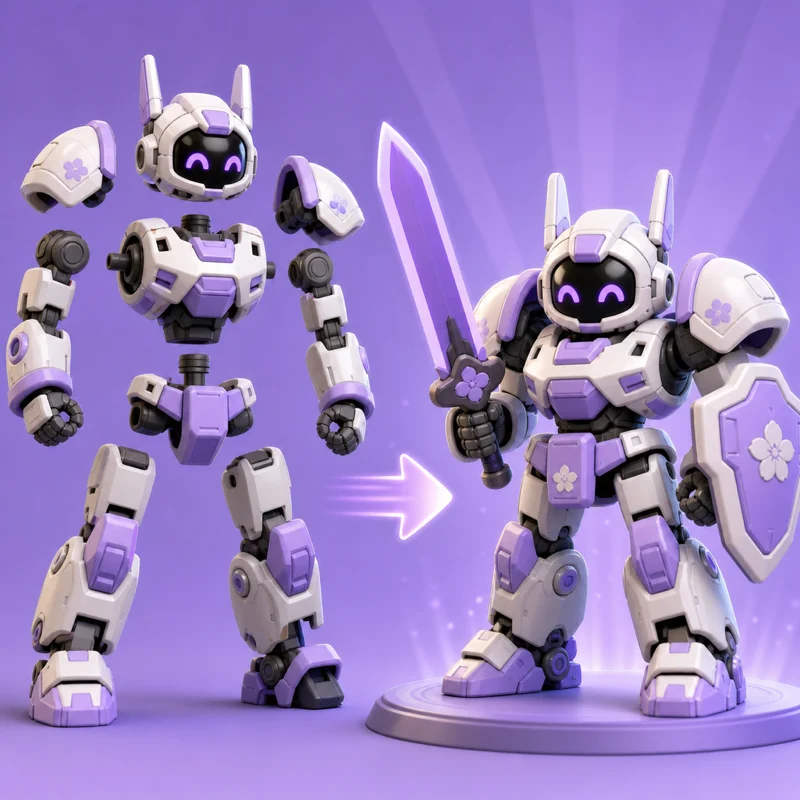
After splitting a model into parts, it merges them back into one complete model for more creating and printing.
Yes. Use a model that has already been split, then choose which parts to merge back.
Yes. All parts are selected by default, or you can pick just the ones you want.
GLB / OBJ / STL, up to 50MB per file.
